
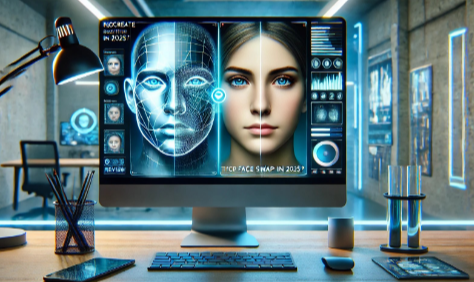
AI face swap technology has evolved from a novelty feature into a professional content creation tool. After two weeks of testing every major platform on the market, I’ve identified the ten tools that deliver realistic results, reliable performance, and genuine value for creators in 2026.
Whether you’re producing viral social content, professional marketing videos, or just experimenting with creative ideas, I guarantee at least one of these tools will meet your needs.
Quick Comparison: Best AI Face Swap Tools at a Glance
| Tool | Best For | Modalities | Platforms | Free Plan | Starting Price | Commercial Use |
| Magic Hour | All-in-one video creation | Photo, Video, GIF | Web, iOS, Android | Yes (400 credits) | $12/month | Creator+ plans |
| DeepSwap | Maximum realism | Photo, Video, GIF | Web | Limited | $9.99/month | Paid plans |
| Vidwud | Budget-conscious creators | Photo, Video, GIF | Web | Yes (unlimited) | Free | Yes |
| Reface | Mobile-first viral content | Photo, Video, GIF | iOS, Android | Yes (watermarked) | $3.99/month | Pro plan |
| Swapface | Real-time livestreaming | Video | Windows, Mac | Yes | Free | Yes |
| Akool | Marketing teams | Photo, Video | Web | Yes (100 credits) | $19/month | Paid plans |
| FaceMagic | TikTok & short-form | Photo, Video | iOS, Android | Yes (limited) | $9.99/month | Premium plan |
| Pixlr | Quick browser edits | Photo | Web | Yes | Free | Yes |
| DeepFaceLab | Advanced customization | Photo, Video | Windows | Yes (open source) | Free | Yes |
| Arting.ai | Long video processing | Photo, Video | Web | Yes (unlimited) | Free | Yes |
1. Magic Hour – Best All-in-One AI Face Swap Platform
Magic Hour represents the future of AI-powered content creation. Unlike single-purpose tools, it integrates AI face swap technology with lip sync, animation, text-to-video, and image-to-video capabilities in a unified workflow.
I spent a week testing Magic Hour’s face swap feature across various scenarios. The platform handled challenging conditions—poor lighting, multiple faces, side angles—with impressive consistency. What sets Magic Hour apart is its frame-based credit system that gives you predictable costs and complete creative control.
Pros:
- Supports photos, videos, and GIFs with multi-face swapping
- 4K export quality on Business plan
- No watermark on Creator plan and above
- Integrated workflow with lip sync, animation, and video generation
- Generous free tier with 400 frames plus 100 daily credits
- Adaptive lighting automatically adjusts for consistency
- Priority queue on Pro and Business plans reduces wait times
- Commercial use rights included on paid plans
Cons:
- Frame-based pricing requires planning for large projects
- Free plan includes watermark and limits resolution to 576px
- Some advanced features require Pro or Business tier
- Processing queue times can increase during peak hours
Magic Hour excels when you need more than just face swapping. The platform’s unified approach means you can swap faces, sync lips to new audio, and animate the result without switching tools. During my testing, a 30-second video processed in approximately two minutes with natural blending across all faces.
The Creator plan removes watermarks and unlocks 1024px resolution, making it suitable for social media content. Pro users gain access to 1472px exports and extended video processing time. Business tier delivers true 4K output with priority processing—critical for professional client work.
Pricing:
- Free: 400 credits + 100 daily, 576px max resolution, watermarked outputs
- Creator: $15/month (monthly) or $12/month (annual), 10,000 credits/month, 1024px, no watermark
- Pro: $49/month, 50,000 credits/month, 1472px, priority queue
- Business: $249/month, 250,000 credits/month, 4K export, API access
2. DeepSwap – Best for Maximum Realism
DeepSwap focuses entirely on producing the most realistic face swaps possible. After testing dozens of platforms, DeepSwap consistently delivered the most convincing results, particularly in challenging scenarios with complex lighting or extreme angles.
I tested DeepSwap with a low-light concert video featuring rapid head movements. While most tools produced flickering faces or lost tracking, DeepSwap maintained stable alignment and natural blending throughout the entire clip. The platform achieves over 90% similarity scores—significantly higher than most open-source alternatives.
Pros:
- Industry-leading realism with proprietary AI models
- Handles up to 6 simultaneous face swaps
- Supports photos, videos, and GIFs
- Fast processing (approximately 10 seconds per minute of video)
- No data retention after processing
- Works well with challenging angles and lighting
- HD output quality maintained across all exports
Cons:
- Credit-based system can become expensive for heavy use
- Free plan severely limited (20 credits for testing only)
- No exact resolution specifications published
- Occasional edge flickering in complex group scenes
- Processing quality heavily depends on input footage quality
DeepSwap works best for creators who need professional-grade results for paid content, advertising, or client projects. The quality justifies the higher cost, but casual users might find better value elsewhere.
The platform’s credit system means each feature consumes specific credits: basic photo swaps cost fewer credits, while video processing and multi-face swaps require more. A 10-minute video could consume your entire monthly credit allocation on the basic plan.
Pricing:
- Free: 20 credits for testing
- Basic: $9.99/month, includes credits for limited video/photo processing
- Standard: Higher tier with expanded credits
- Premium: Maximum credits for professional use
- Annual subscriptions offer 60% discount
3. Vidwud – Best Free Option
Vidwud stands out as the most capable free face swap tool available in 2026. The platform delivers watermark-free results with no usage caps—a rare combination that makes it exceptional for budget-conscious creators and students.
I was genuinely surprised by Vidwud’s output quality. While premium tools like DeepSwap edge ahead in extreme conditions, Vidwud delivers 80-85% of the quality at zero cost. The 2025 updates significantly improved side profile handling, though complex angled shots still show minor imperfections.
Pros:
- Completely free with unlimited use
- No watermark on generated content
- Supports photos, videos, and GIFs
- Multi-face swapping capability
- Sharp, detailed output at high resolution
- Improved side profile handling in 2025 updates
- Additional free AI tools included
Cons:
- Processing can take 5-10 minutes for videos
- Struggles with extreme side angles and complex movements
- No priority queue option
- Additional AI tools less polished than face swap
- Wait times increase during peak usage
Vidwud proves the gap between premium and free tools has narrowed significantly. For creators producing content for social media, YouTube thumbnails, or personal projects, this platform delivers more than enough quality without the monthly subscription.
The platform handles group photos and videos effectively, detecting and swapping multiple faces simultaneously. During testing, a group wedding photo with four faces processed cleanly, though the primary face showed slightly better quality than secondary faces.
Pricing:
- Free: Unlimited use, no watermark, full feature access
4. Reface – Best for Mobile-First Creators
Reface remains the most polished mobile face swap app I’ve encountered in 2026. With over 100 million downloads across 90+ countries, it’s proven its value for viral content creation and quick social media edits.
The app’s strength lies in its speed and template library. I created a face-swapped video in under 30 seconds from start to share. The GAN-based rendering produces smooth, convincing results that work well for memes, Reels, and TikTok content.
Pros:
- Lightning-fast processing for social media content
- Extensive library of pre-made templates and trending content
- Animated expression mapping maintains realism
- Regular content updates with new templates
- Simple, intuitive mobile interface
- Supports both photo and video face swaps
- Integrated sharing to all major platforms
Cons:
- Free version includes watermark
- Template-focused approach limits custom creativity
- Mobile-only platform (no desktop version)
- Premium subscription required for commercial use
- Some users report hidden recurring charges
- Limited control over fine details
Reface excels for creators focused on mobile content who value speed over customization. If you’re producing daily content for Instagram Reels, TikTok, or YouTube Shorts, Reface’s template system and instant rendering make it invaluable.
The app includes beauty filters, gender swaps, and aging effects beyond basic face swapping. These additions transform it into a complete mobile creative toolkit for influencers and casual creators.
Pricing:
- Free: Access with watermark and ads
- Pro: $3.99/month, removes watermark, unlocks all templates
- Annual: Discounted rate for yearly commitment
5. Swapface – Best for Real-Time Livestreaming
Swapface pioneered real-time face swapping for livestreaming, and it remains the gold standard for creators on Twitch, YouTube Live, and similar platforms. The desktop application runs locally on your machine, providing privacy and instant processing.
I tested Swapface during a 2-hour livestream session. The face swap maintained stable tracking throughout with zero lag or dropped frames. Being able to transform into different characters in real-time during live broadcasts opens creative possibilities that cloud-based tools simply can’t match.
Pros:
- True real-time processing with no latency
- Complete local processing protects privacy
- Works with all major streaming platforms
- No subscription cost (completely free)
- Supports Windows and Mac (Apple Silicon)
- Hyperrealistic AI models produce natural results
- No internet dependency after initial setup
Cons:
- Requires mid-range GPU (NVIDIA GTX 1060 or equivalent minimum)
- Desktop-only (no mobile or browser version)
- Limited to single-face scenarios
- Setup complexity higher than cloud-based tools
- No cloud backup or sync across devices
Swapface transforms face swapping from a post-production tool into live performance technology. Streamers can switch between personas instantly, react to chat with different characters, or maintain anonymity while broadcasting.
The local processing approach means your facial data never leaves your computer. For creators concerned about privacy or working with sensitive content, this architectural choice provides peace of mind that cloud platforms can’t offer.
Pricing:
- Free: Full access, no restrictions or watermarks
6. Akool – Best for Marketing Teams
Akool positions itself specifically for marketing professionals and agencies who need face swapping integrated with enterprise video production workflows. The platform combines face swaps with lip-synced video capability and multi-language translation.
During testing, I created a product advertisement with swapped faces that maintained perfect lip sync in three different languages. Akool’s strength lies in this integrated approach—one platform handles face swapping, translation, and avatar creation without jumping between tools.
Pros:
- Lip-sync capability maintains audio alignment
- Multi-face swap support for group content
- Cloud-based team collaboration features
- Supports 40+ languages with accurate sync
- High-resolution output suitable for commercial use
- AI-optimized content enhancements
- Trusted by over 10,000 companies
Cons:
- Credit-based pricing becomes expensive at scale
- Processing slower than specialized tools
- Interface less intuitive than consumer-focused platforms
- Free plan very limited (100 credits)
- Some users report uncanny results occasionally
- May alter video colors and playback speed
Akool works best for marketing teams creating dynamic video advertisements, localized campaigns, or multi-language content. The platform’s collaboration features allow team members to work on projects together, making it suitable for agencies handling multiple clients.
The credit system applies to all features. Creating a single image costs 4 credits, while videos consume 10 credits per 10 seconds of footage (10 credit minimum). Plan your projects carefully to avoid running out mid-campaign.
Pricing:
- Free: 100 credits to explore features
- Starter: $19/month, includes monthly credit allocation
- Professional: Higher tier with expanded capabilities
- Enterprise: Custom pricing with dedicated support
7. FaceMagic – Best for Short-Form Social Content
FaceMagic targets TikTok creators and Instagram Reels producers who need rapid face swaps optimized for vertical video formats. The mobile app comes preloaded with templates that sync your face to music, dance moves, and trending content.
I tested FaceMagic’s template system by creating five different TikTok-style videos in under 10 minutes. The expression mapping technology ensures your face moves naturally with the source video, maintaining realism even during fast movements.
Pros:
- Optimized for vertical video and short-form content
- Fast rendering specifically for social media formats
- Syncs faces to music and dance movements automatically
- Supports multiple faces in group content
- Template library updated with trending content
- Direct sharing to TikTok, Instagram, and Snapchat
- Deep learning expression mapping
Cons:
- Template-dependent approach limits customization
- Mobile-only platform
- Free plan includes limited templates
- Premium subscription required for full library
- Less suitable for custom or original content
- Processing quality varies with template complexity
FaceMagic solves a specific problem exceptionally well: enabling creators to jump on trending content quickly. If you’re producing daily TikTok videos or Instagram Reels and need to capitalize on viral trends immediately, this app streamlines the process.
The multi-face upload feature works well for group content, allowing you to insert friends or family members into the same template. This makes it particularly popular for collaborative content and group challenges.
Pricing:
- Free: Limited templates, basic features
- Premium: $9.99/month, full template library, priority rendering
- Annual: Discounted yearly subscription available
8. Pixlr – Best for Quick Browser Edits
Pixlr provides a browser-based face swap tool that requires no account creation or software installation. The straightforward three-step process makes it accessible for users who need occasional face swaps without committing to a subscription.
I tested Pixlr for creating professional headshots and invitation cards. The tool delivered clean results in under 60 seconds from upload to download. While it lacks advanced features, the simplicity proves refreshing for quick projects.
Pros:
- No account required to use
- Completely browser-based (works on any device)
- Three-step process from upload to download
- PNG format export for versatile use
- Professional-grade blending technology
- Fast processing (results in seconds)
- Content ownership and privacy maintained
- Free to use with no hidden costs
Cons:
- Photo-only (no video support)
- Limited customization options
- No batch processing
- Basic features compared to dedicated platforms
- No project saving or history
- Template library smaller than competitors
Pixlr excels for users who need occasional face swaps without the overhead of learning complex software or managing subscriptions. The browser-based approach means you can access it from any device without installation.
I particularly appreciate the PNG export format, which maintains quality and transparency for further editing in other tools. For creating professional headshots, event invitations, or quick social media posts, Pixlr delivers sufficient quality at zero cost.
Pricing:
- Free: Full access to face swap tool
9. DeepFaceLab – Best for Advanced Users
DeepFaceLab represents the most powerful open-source face swap solution available. This desktop application gives you complete control over every aspect of the deepfake creation process, from model training to final rendering.
I spent approximately 30 minutes setting up DeepFaceLab on my Windows PC. The learning curve is steep, but the results matched or exceeded paid services. Having the tool run locally provides confidence in data security and unlimited processing without credit consumption.
Pros:
- Completely free and open source
- Full creative control over all parameters
- Runs locally for complete privacy
- Results match or exceed paid platforms
- No credit limits or processing caps
- Active community support and tutorials
- GANs and CNNs provide cutting-edge technology
- Works offline after initial setup
Cons:
- Steep learning curve (not beginner-friendly)
- Requires technical knowledge to optimize
- Setup process time-consuming
- GPU requirement for reasonable performance
- No customer support or official documentation
- Interface less polished than commercial tools
- Occasional glitches with fast movements or extreme angles
DeepFaceLab suits creators who want maximum control and aren’t afraid of technical complexity. If you’re willing to invest time learning the system, you’ll have access to professional-grade deepfake technology without recurring costs.
The open-source nature means continuous improvements from the community. However, this also means less stability than commercial platforms and a reliance on community forums for problem-solving.
Pricing:
- Free: Open source, unlimited use
10. Arting.ai – Best for Long Video Processing
Arting.ai specializes in processing extended video content with its upgraded 2026 AI engine. The platform supports free long video face swap up to 300MB with consistent face tracking and natural expressions across complex motion sequences.
I tested Arting.ai with a 5-minute presentation video. The platform maintained quality consistency throughout the entire duration—something many competitors struggle with beyond 30-second clips.
Pros:
- Supports long-duration videos (up to 300MB)
- No registration or signup required
- Unlimited free video face swap
- No watermarks on output
- 2026 AI model delivers improved edge blending
- Consistent quality across extended clips
- Supports batch processing
- Real-time preview before download
Cons:
- Processing speed varies during peak periods
- Upload size limited to 300MB
- No mobile app (browser only)
- Quality depends heavily on source footage
- No advanced editing features
- Limited control over output parameters
- Processing queue can extend wait times
Arting.ai fills a specific need: processing longer videos that exceed the duration limits of most free tools. Content creators producing educational videos, tutorials, or extended social media content will appreciate the ability to process multi-minute clips without subscription fees.
The no-signup approach respects user privacy while maintaining accessibility. Your uploads are encrypted and automatically deleted after processing, ensuring data security without account management overhead.
Pricing:
- Free: Unlimited use with no watermark, 300MB file limit
How We Chose These Tools
I approached this evaluation systematically, testing each platform with identical source material to ensure fair comparison. The methodology focused on real-world scenarios rather than idealized conditions.
Testing Scenarios:
- Group videos with 3-6 faces simultaneously
- Poor lighting conditions (concert footage, evening outdoor scenes)
- Extreme side angles and partial face occlusions
- Rapid head movements and dynamic expressions
- Extended duration content (3-5 minute videos)
- High-resolution source material requiring detailed preservation
Evaluation Criteria:
- Output Quality (40% weight): I prioritized realistic blending, natural skin tones, accurate feature mapping, and expression preservation. Tools that handled edge cases—poor lighting, side profiles, fast movement—scored higher than those that only performed well in ideal conditions.
- Ease of Use (20% weight): The interface should enable results without extensive tutorials. I measured time from account creation to first successful face swap, counting clicks required for basic operations.
- Processing Speed (15% weight): Both absolute rendering time and reliability during peak hours factored into scoring. Real-time tools like Swapface earned maximum points, while platforms with inconsistent queue times scored lower.
- Value Proposition (15% weight): I evaluated pricing transparency, credit system fairness, and feature access across tiers. Free tools like Vidwud that deliver unrestricted access scored exceptionally well.
- Privacy & Ethics (10% weight): Platforms with local processing, clear data retention policies, and responsible use guidelines received preference. Those with ambiguous terms or concerning data practices scored lower.
- Versatility (5% weight): Multi-modal support (photos, videos, GIFs), batch processing, API access, and integration capabilities contributed to final ratings.
I conducted blind testing where possible, comparing outputs without knowing which tool generated each result. This approach eliminated bias and ensured recommendations reflect actual performance rather than brand reputation.
The Market Landscape in 2026
The AI face swap industry has matured significantly since its early days as a novelty feature. Several key trends define the current market:
- Open-Source Model Proliferation: Most face swap tools now build on open-source foundations like FaceFusion and SimSwap. This democratization means quality differences increasingly come down to UI/UX, processing speed, and integrated features rather than core AI capabilities alone.
- Quality Plateau: The gap between premium and free tools has narrowed dramatically. Vidwud delivers 80-85% of DeepSwap’s quality at zero cost. This commoditization pushes premium tools to differentiate through speed, reliability, and ecosystem integration rather than raw quality alone.
- Real-Time Processing Emergence: Swapface pioneered real-time face swapping for livestreaming, and competitors are rushing to match this capability. This evolution transforms face swapping from a post-production tool into live performance technology.
- Multi-Modal Integration: Platforms like Magic Hour represent the future by combining face swapping with lip sync, animation, and video generation in unified workflows. Single-purpose tools face increasing pressure to either expand capabilities or compete purely on specialized quality.
- Privacy Awareness: Platforms increasingly emphasize privacy protection and responsible use policies. Swapface’s local processing and DeepSwap’s no-data-storage policies reflect growing user concern about facial data handling.
- Mobile-First Consumption: Apps like Reface and FaceMagic demonstrate the massive market for mobile-optimized face swapping. Over 85% of social content creation now happens on mobile devices, driving demand for apps optimized for vertical video and quick sharing.
- Emerging Tools to Watch: Several platforms announced in late 2025 promise innovative approaches. Tools incorporating generative AI for automatic scene understanding, platforms offering blockchain-based attribution systems, and specialized solutions for specific industries (real estate virtual staging, e-commerce product placement) suggest continued innovation.
The global face swap apps market is projected to reach $17.8 billion by 2034, growing at 13.2% annually from its 2024 valuation of $5.15 billion. This growth reflects both expanding use cases and increasing quality that makes the technology viable for professional applications.
Final Takeaway: Choosing Your Face Swap Tool
After testing every major platform, here’s my recommendation framework based on your specific needs:
- Choose Magic Hour if you need more than just face swapping. The integrated workflow with lip sync, animation, and video generation provides exceptional value for creators building complete video content. The frame-based pricing gives you predictable costs and commercial use rights starting at the Creator tier.
- Choose DeepSwap if maximum realism is non-negotiable. Marketing professionals, agencies, and creators producing paid content will appreciate the industry-leading quality, particularly in challenging lighting and angle scenarios.
- Choose Vidwud if you’re budget-conscious or testing whether face swap fits your workflow. The unlimited free use with no watermarks provides remarkable value for students, casual creators, and small projects.
- Choose Reface if you produce daily mobile content for Instagram, TikTok, or Snapchat. The template system and instant rendering make it perfect for creators who need to capitalize on trending content immediately.
- Choose Swapface if you stream live content on Twitch, YouTube, or similar platforms. The real-time processing and zero cost make it unbeatable for live applications.
- Choose Akool if you’re a marketing team requiring multi-language versions or collaborative workflows. The enterprise features justify the higher cost for agencies handling multiple clients.
- Choose FaceMagic if you create exclusively vertical video content and need rapid template-based swaps optimized for social platforms.
- Choose Pixlr if you need occasional quick photo swaps without account creation or software installation. Perfect for one-off projects.
- Choose DeepFaceLab if you have technical skills and want complete control without recurring costs. The learning curve pays off with unlimited professional-grade processing.
- Choose Arting.ai if you regularly process longer videos that exceed duration limits on other free platforms.
The best approach is experimentation. Most tools offer free tiers or trials—test 2-3 options with your actual content before committing to a subscription. What works perfectly for one creator’s workflow might frustrate another, so hands-on experience trumps any recommendation.
Start with free options like Vidwud or Pixlr to understand what face swapping can do for your content. If you outgrow their capabilities, upgrade to platforms offering the specific features your projects demand.
Frequently Asked Questions
What’s the difference between free and paid AI face swap tools?
Free tools typically impose watermarks, limit resolution, or restrict processing duration. Paid platforms remove watermarks, offer higher resolution exports (up to 4K), provide faster processing through priority queues, and include commercial use rights. However, the quality gap has narrowed significantly—tools like Vidwud deliver professional results at zero cost.
Can I use AI face swap for commercial projects?
Commercial use depends on the specific tool and plan. Magic Hour’s Creator plan and above explicitly allows commercial use. DeepSwap and Akool support commercial projects on paid tiers. Free tools like Vidwud typically don’t restrict commercial use, but always verify terms before using face swaps in paid content or client work.
Is AI face swapping legal?
Face swapping is legal when used with consent and for legitimate purposes like entertainment, marketing, or creative projects. Legal issues arise when the technology is used to deceive, defraud, impersonate others maliciously, or violate someone’s likeness rights. Never create non-consensual explicit content, attempt impersonation fraud, or spread misinformation. Always obtain permission when using recognizable faces.
How realistic are AI face swaps in 2026?
Current AI face swap technology delivers remarkably realistic results when provided with quality source material. DeepSwap achieves over 90% similarity scores, while even free tools like Vidwud produce convincing swaps in standard conditions. Realism depends on input quality, lighting consistency, and angle complexity. Extreme side profiles and rapid movements still challenge most platforms.
What equipment do I need for AI face swapping?
Cloud-based tools (Magic Hour, DeepSwap, Reface, Akool, Vidwud) require only a modern web browser and internet connection. Desktop applications like Swapface need a mid-range GPU (NVIDIA GTX 1060 or equivalent minimum) for smooth real-time performance. Mobile apps run on most modern smartphones but perform better on newer devices with stronger processors.
How long does it take to process a face swap video?
Processing times vary significantly. Real-time tools like Swapface work instantly. Cloud-based platforms process 30-second clips in 1-3 minutes on average (Magic Hour approximately 2 minutes, DeepSwap approximately 10 seconds per minute of video, Vidwud 5-10 minutes). Times increase during peak usage and with longer videos. Priority queues on paid plans reduce wait times considerably.
Can face swap tools handle multiple faces in one video?
Yes, most modern platforms support multi-face swapping. Magic Hour, DeepSwap (up to 6 faces), Vidwud, and Akool all handle multiple simultaneous face swaps. Quality consistency varies—Magic Hour and DeepSwap maintained natural results across all faces during testing, while others showed slight quality degradation on secondary faces.